
One Inbox for WhatsApp, Messenger & Telegram
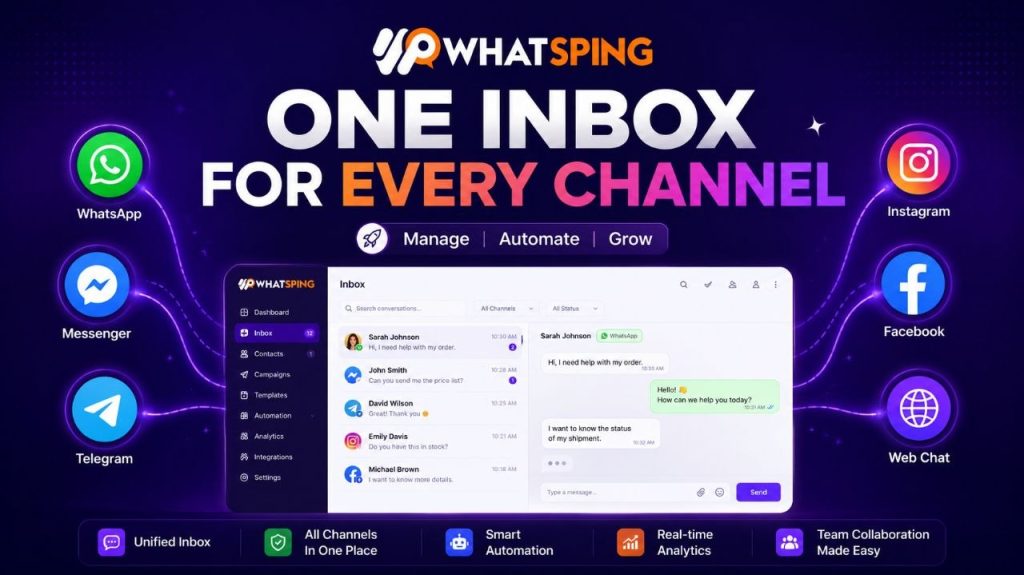
Your customers do not think in channels. They message you on WhatsApp today, Telegram tomorrow, and Messenger on the weekend. If your team is juggling three inboxes, replies are slow, messages slip through, and every conversation loses context. A shared inbox fixes all of that — and it is one of the fastest wins a customer-facing team can make.
The problem with scattered inboxes
Most teams start with one channel — usually WhatsApp — and it works fine. Then a customer asks for Messenger, a partner wants Telegram, and suddenly you are tab-switching all day. Messages get answered twice or not at all. Response times climb. Nobody has the full picture of a conversation, so customers repeat themselves and get frustrated.
It is not a tooling problem; it is a structure problem. Every additional channel multiplies the places where a message can get lost, and every lost message is a lost customer moment.
What a shared inbox is
A shared inbox puts WhatsApp, Facebook Messenger, Telegram and your website chat widget in one queue. Every conversation lands in the same place, any agent can pick it up, and the full history travels with it. It is the difference between running a call center and running three phone booths.
Why it wins: fewer missed messages
When everything lands in one queue, nothing slips through the cracks. Chats can be assigned to specific agents, marked with private notes, and routed by topic. If an agent is already deep in a conversation, the next one waits visibly instead of hiding in another app. Teams that move to a single inbox typically stop missing customer messages entirely — and “we never saw your message” stops being a sentence your support team says.
Why it wins: consistent automation
Build a chatbot flow once and reuse it across every channel. The same keyword replies, the same FAQ answers, the same lead-qualification questions — whether the customer is on WhatsApp or Messenger. Your automation behaves identically everywhere, so customers get a consistent experience and your team writes rules once instead of three times.
This is a bigger deal than it sounds. Most teams build a great WhatsApp bot and then discover Messenger needs its own version, maintained separately, drifting out of sync. A shared inbox means one flow, one source of truth, one experience.
Why it wins: full context
Nothing frustrates customers more than repeating themselves. With a shared inbox, an agent sees the whole thread: the campaign that brought them in, the order they asked about, the previous agent’s notes. Context is the difference between “we’re sorry, can you explain again?” and “I can see your order from Tuesday — it shipped today.”
Context also makes handoffs painless. When the AI chatbot escalates a chat, the human agent sees exactly what was discussed, what the bot already tried, and where to pick up. The customer never has to re-explain — which is the single most common reason people rate support poorly.
Why it wins: faster responses, better results
Response time is the metric that moves revenue. Customers who get a fast answer buy more and complain less. When agents stop switching between apps, first response times drop from hours to minutes — especially when the AI chatbot handles the common questions first and hands off only what needs a human.
There is real money in this. A customer who messages about a product is minutes from buying; every minute of delay is a competitor’s ad they might see instead. The businesses that win on WhatsApp treat response time like a revenue metric, because it is one.
How to set it up
- Connect your WhatsApp number through embedded signup — minutes, not paperwork.
- Add Messenger and Telegram with a few clicks.
- Add your website chat widget.
- Invite your team, set up assignments and notes, and start answering from one place.
The whole setup is covered by the shared inbox in Whatsping, alongside the integrations you already use.
Who benefits most
- E-commerce and retail — order questions arrive on every channel; one inbox means one fast answer. Abandoned carts, shipping queries, returns — all visible in the same queue as the rest of the conversation.
- Agencies — run WhatsApp for multiple client brands from one workspace without mixing conversations. Client A’s chats never bleed into client B’s.
- Education and healthcare — admissions and appointment messages stay organized at volume, and nothing falls between the cracks during peak season.
What to expect in week one
Teams typically notice three things almost immediately: the ping-pong between apps stops, first response times drop, and the “where did that message go” question disappears from team meetings. By week two, the automation flows are sharing knowledge across channels, and by week four, response-time improvements show up in customer feedback.
One inbox, every channel
You do not need to choose between WhatsApp, Messenger and Telegram — customers already use all three. Connect every channel your customers use, put your team in one inbox, and watch response times drop. Start free and have it running today.
Separate inboxes vs a shared inbox
It helps to see the difference side by side. With separate inboxes, your team checks WhatsApp in one app, Messenger in another, Telegram in a third, and the website widget somewhere else entirely. Each app has its own notification settings, its own read states, and its own history — which means the person who answers “where is my order?” on WhatsApp has no idea the customer already asked the same question on Messenger an hour ago.
With a shared inbox, there is one queue, one history, and one team. The second question gets answered with the first conversation in context, so the customer gets a fast, coherent answer instead of a confused one. That is the whole argument in a paragraph.
Common concerns, answered
- “Won’t this slow us down?” The opposite. One queue means agents work from a single prioritized list instead of tab-hopping. Most teams see response times improve in the first week.
- “Is it more expensive than free apps?” Free apps cost you in missed messages and slow replies — which cost you customers. A shared inbox on the official API pays for itself with one recovered sale.
- “What about privacy and security?” The official API keeps conversations inside Meta’s infrastructure, and the shared inbox lets you control who sees what — assign chats to agents, keep notes private, and audit the whole thread.
- “Do I have to give up my existing number?” No. With WhatsApp Coexistence you keep your existing number and your phone app, while the shared inbox runs automations and campaigns on the same number.
Start small, scale fast
You do not have to connect every channel on day one. Start with WhatsApp, prove the workflow, then add Messenger, then Telegram, then the website widget. Each channel takes minutes to connect and instantly joins the same queue — the team does not have to learn a new tool, because it is the same tool.